USB Drive Buying Explained!? 😲
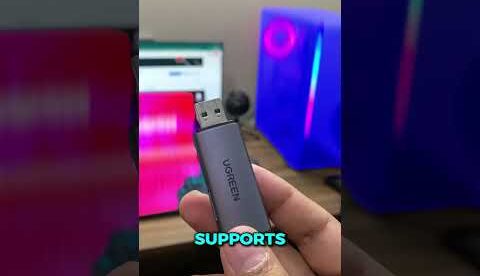
Before you buy your next USB drive, here’s what actually matters — because a lot of cheap or fake USB drives on the market look identical to the real thing, but fail fast or perform way worse than advertised.
In this video, I cover the exact checklist to follow before buying a USB flash drive:
Stick to a reputable brand — SanDisk, Kingston, and similar trusted names. Unbranded or no-name drives are where most problems start.
Check the actual transfer speed before buying, not just the label on the box.
Make sure it’s USB 3.0 or higher — older USB versions are noticeably slower for transferring larger files.
Always buy with a warranty, so if the drive fails, you can actually get it replaced instead of losing your money.
Avoid fake or counterfeit USB drives entirely — they’re not only slower than advertised, they also tend to fail much sooner.
Don’t just trust the storage capacity printed on the packaging — fake drives are known for showing capacities way higher than what they actually hold. Check reviews if you’re unsure.
🔧 What you’ll learn in this video:
How to spot a fake or counterfeit USB drive
Which USB version you should be buying (and why)
Why warranty matters when buying storage devices
How to avoid overpaying for a drive that underperforms
If you’ve been searching for how to buy a USB flash drive, best USB drive brands, how to spot a fake flash drive, or USB 3.0 vs USB 2.0 — this video covers it.
💬 Have you ever bought a fake or bad USB drive? Let me know what happened in the comments.
👍 Like and subscribe for more practical tech buying guides like this.
#USBDrive #FlashDrive #TechTips #BuyingGuide #SanDisk #Kingston #TechShorts
myn has wite usb
I think he likes the 2 low pitched beeps sound.
Don’t buy ones with a lot of storage for too low of a price. A YouTuber called SMOOREZ made a lot of videos on this subject.
don’t buy kingston (my sd cards got corrupted after testing)
I don’t mind slow speeds cuz I use them for homebrew apps on modded consoles